
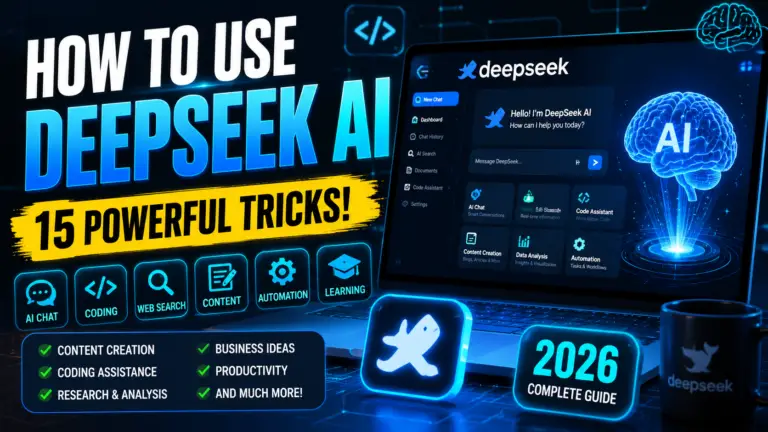
Introduction
Artificial intelligence has transformed the way people work, learn, and create content. From generating high-quality articles to writing code and conducting research, AI tools are becoming an essential part of daily productivity. Among the latest innovations in this space, DeepSeek AI has quickly emerged as one of the most powerful and cost-effective AI assistants available today.
Unlike many AI platforms that require expensive subscriptions, DeepSeek AI offers advanced reasoning, coding, content generation, and research capabilities with free access for most users. Whether you’re a student, developer, content creator, business owner, or researcher, DeepSeek provides an efficient way to automate tasks and improve productivity.
What makes DeepSeek stand out is its ability to handle complex prompts, generate accurate responses, assist with programming tasks, and support advanced problem-solving. Its growing popularity has made it one of the strongest alternatives to ChatGPT, Google Gemini, and Claude AI.
In this comprehensive guide, you’ll learn how to use DeepSeek AI step by step, explore its key features, discover practical use cases, and understand how to get the best results for writing, coding, research, and professional work. By the end of this article, you’ll have everything you need to start using DeepSeek AI effectively and maximize its potential.
How to Use DeepSeek AI (Quick Answer)
To use DeepSeek AI, visit the official DeepSeek website or download the DeepSeek mobile app, create a free account, and enter your prompt in the chat interface. Simply describe what you need—whether it’s content writing, coding assistance, research, data analysis, translations, brainstorming, or problem-solving—and DeepSeek will generate a response based on your request.
For most users, the web version is the easiest way to get started because it requires no installation and works directly in your browser.
Here are the basic steps:
- Open DeepSeek AI on the web or mobile app.
- Sign in or create a free account.
- Enter a clear prompt or question.
- Review the generated response.
- Refine your prompt for better results.
- Use DeepSeek for writing, coding, research, learning, and productivity tasks.
Advanced users can also access DeepSeek through its API to build AI-powered applications, automate workflows, and integrate intelligent features into websites or software.
Whether you’re a student, developer, content creator, marketer, researcher, or business professional, DeepSeek AI provides a fast and efficient way to complete tasks, generate ideas, and improve productivity.
What Is DeepSeek AI?
DeepSeek AI is an advanced artificial intelligence platform designed to help users generate content, write code, conduct research, solve complex problems, and automate everyday tasks. Developed by DeepSeek, the platform combines large language model (LLM) technology with powerful reasoning capabilities to deliver fast, accurate, and context-aware responses.
Since its launch, DeepSeek AI has gained global attention for offering high-performance AI models that compete with leading platforms such as ChatGPT, Google Gemini, and Claude. Its strong reasoning abilities, coding performance, and accessibility have made it a popular choice among developers, students, researchers, marketers, and business professionals.
One of the biggest reasons behind DeepSeek’s growing popularity is its ability to handle a wide variety of tasks from a single interface. Users can generate articles, create marketing copy, debug code, summarize documents, analyze information, translate languages, brainstorm ideas, and receive detailed explanations on complex topics within seconds.
Key Features of DeepSeek AI
Some of the most notable features of DeepSeek AI include:
- Advanced reasoning and problem-solving capabilities
- AI-powered content writing and editing
- Code generation, debugging, and programming assistance
- Research and information summarization
- Multi-language support
- Document and file analysis
- Natural conversational interactions
- API access for developers and businesses
Why Is DeepSeek AI Becoming So Popular?
DeepSeek AI is rapidly growing because it combines powerful AI capabilities with an easy-to-use interface. While many AI tools focus on specific use cases, DeepSeek provides a flexible solution that can support education, software development, content creation, research, productivity, and business operations.
For users looking for a powerful AI assistant without a steep learning curve, DeepSeek AI offers an excellent balance between performance, accessibility, and versatility.

How Does DeepSeek AI Work?
DeepSeek AI works by using Large Language Models (LLMs) that are trained on massive amounts of text, code, and structured information. These AI models learn patterns, language structures, reasoning methods, and problem-solving techniques, allowing them to understand user requests and generate human-like responses.
When a user enters a prompt, DeepSeek analyzes the input, identifies the intent behind the request, and predicts the most relevant response based on its training data and reasoning capabilities. This process happens within seconds, enabling users to receive detailed answers, generate content, write code, summarize information, and solve complex problems efficiently.
Understanding the DeepSeek AI Workflow
The process typically follows these steps:
- User InputThe user enters a question, command, or instruction known as a prompt.
- Prompt AnalysisDeepSeek interprets the meaning, context, and objective of the prompt.
- Reasoning and ProcessingThe AI processes the request using advanced machine learning algorithms and reasoning models.
- Response GenerationBased on the analysis, DeepSeek generates a relevant and context-aware response.
- Continuous RefinementUsers can provide follow-up prompts to improve, expand, or modify the generated output.
What Makes DeepSeek AI Different?
Unlike traditional search engines that primarily provide links to external websites, DeepSeek AI generates direct answers and actionable information based on your request. This allows users to complete tasks faster without manually searching through multiple sources.
Some of the technologies that power DeepSeek AI include:
- Natural Language Processing (NLP)
- Machine Learning Algorithms
- Deep Learning Neural Networks
- Contextual Understanding Systems
- Advanced Reasoning Models
- Code Generation and Analysis Capabilities
Real-World Example
Imagine you ask:
“Write a professional email requesting a project deadline extension.”
DeepSeek AI will understand the context, identify the purpose of the email, generate a professional tone, structure the message correctly, and provide a ready-to-use draft within seconds.
Similarly, if you ask:
“Create a Python script that extracts data from a CSV file.”
DeepSeek can generate working code, explain the logic, and even help debug errors if needed.
Why Understanding How DeepSeek Works Matters
Understanding how DeepSeek AI processes information helps users create better prompts and achieve more accurate results. The more specific and detailed your instructions are, the better the quality of the AI-generated response will be.
This is why experienced users often provide context, objectives, formatting requirements, and examples when interacting with DeepSeek AI.

Also Read : How to Use ChatGPT (2026)
Key Features of DeepSeek AI
DeepSeek AI has quickly become one of the most popular AI assistants because it combines powerful reasoning, content generation, coding capabilities, and research tools into a single platform. Whether you’re a student, developer, marketer, business owner, or researcher, DeepSeek offers features that can help improve productivity and reduce the time spent on repetitive tasks.
Below are the most important features that make DeepSeek AI stand out in the rapidly growing artificial intelligence market.
1. Advanced Reasoning and Problem-Solving
One of DeepSeek AI’s strongest capabilities is its advanced reasoning system. Unlike basic AI chatbots that simply generate text, DeepSeek can analyze complex questions, break down problems into smaller parts, and provide logical, structured answers.
This makes DeepSeek particularly useful for mathematics, technical subjects, business analysis, research, and decision-making tasks.
2. AI-Powered Content Writing
DeepSeek AI can generate a wide range of written content, including:
- Blog posts
- Articles
- Product descriptions
- Marketing copy
- Social media content
- Emails
- Reports
- Business documents
Content creators can use DeepSeek to speed up the writing process while maintaining quality and consistency.
3. Coding and Programming Assistance
DeepSeek is widely recognized for its strong coding performance. Developers can use it to:
- Generate code
- Debug errors
- Explain programming concepts
- Optimize existing code
- Create scripts and automation workflows
- Learn new programming languages
Supported programming languages include Python, JavaScript, Java, C++, PHP, SQL, and many others.
For many developers, coding support is one of the biggest reasons to use DeepSeek AI.
4. Research and Information Analysis
DeepSeek can help users gather information, summarize large amounts of content, and explain complicated topics in simple language.
Common research tasks include:
- Academic research
- Market research
- Competitor analysis
- Industry trend analysis
- Technical documentation review
This feature can save hours of manual reading and data collection.
5. Document Summarization
Users can use DeepSeek AI to summarize lengthy content such as:
- Research papers
- Articles
- Reports
- Business documents
- Meeting notes
Instead of reading hundreds of pages, users can quickly extract key insights and important information.
6. Multilingual Language Support
DeepSeek AI supports multiple languages, making it useful for global users and international businesses.
It can assist with:
- Translation
- Localization
- Grammar correction
- Language learning
- Cross-border communication
This makes DeepSeek a valuable tool for individuals and organizations working across different regions and languages.
7. Natural Conversational Experience
DeepSeek is designed to understand natural language, allowing users to communicate with the AI in a simple and conversational way.
You don’t need technical knowledge to use it effectively. Simply describe what you need, and the AI will generate a relevant response.
8. API Access for Developers
For businesses and developers, DeepSeek provides API access that allows AI functionality to be integrated into:
- Websites
- Mobile applications
- SaaS products
- Internal business tools
- Customer support systems
- Automation platforms
API integration enables organizations to build custom AI-powered solutions at scale.
9. Learning and Education Support
Students and educators can use DeepSeek AI for:
- Homework assistance
- Concept explanations
- Exam preparation
- Study guides
- Learning new skills
The platform can simplify difficult topics and provide step-by-step explanations that make learning more accessible.
10. Productivity and Workflow Automation
DeepSeek AI can automate repetitive tasks and improve efficiency by helping users:
- Generate reports
- Organize information
- Draft communications
- Create outlines
- Brainstorm ideas
- Plan projects
This allows professionals to focus more on strategic work and less on routine tasks.
Why These Features Matter
The combination of reasoning, writing, coding, research, automation, and multilingual capabilities makes DeepSeek AI much more than a simple chatbot. It functions as a versatile AI assistant that can support personal, educational, and professional workflows.
For users looking for an affordable and powerful AI solution, DeepSeek AI offers a feature set that rivals many leading artificial intelligence platforms available today.
How to Use DeepSeek AI on the Web (Step-by-Step Guide)

The web version is the easiest and most popular way to use DeepSeek AI. Since it runs directly in your browser, there is no need to download software or configure complex settings. Whether you want to write content, generate code, conduct research, or brainstorm ideas, you can get started within minutes.
Step 1: Visit the Official DeepSeek Website
Open your preferred web browser and visit the official DeepSeek platform.
If you’re a new user, create a free account using your email address or supported sign-in method. Existing users can simply log in and continue using the platform.
Creating an account allows you to save conversations, access additional features, and manage your AI interactions more efficiently.
Step 2: Access the Chat Interface
After signing in, you’ll be taken to the DeepSeek dashboard.
The main interface typically includes:
- Chat window
- Prompt input box
- Conversation history
- New chat option
- AI model settings (if available)
This is where you’ll interact directly with DeepSeek AI.
The interface is designed to be simple, allowing even first-time users to start using AI without technical experience.
Step 3: Enter Your Prompt
A prompt is the instruction or question you provide to DeepSeek AI.
For example:
Writing Example
Write a 1,000-word blog post about remote work productivity tips.
Coding Example
Create a Python script that extracts data from a CSV file.
Research Example
Explain the benefits and challenges of renewable energy.
The quality of your output depends heavily on the quality of your prompt.
The more specific your instructions are, the more accurate and useful the response will be.
Step 4: Review the Generated Response
Within seconds, DeepSeek AI will generate a response based on your request.
Take time to review:
- Accuracy
- Clarity
- Relevance
- Formatting
- Completeness
For professional or technical work, always verify important information before publishing or implementing it.
AI should be used as a productivity tool, not as a replacement for human review and critical thinking.
Step 5: Refine and Improve the Output
One of the biggest advantages of AI is that you can continue the conversation.
Instead of starting over, you can ask follow-up questions such as:
- Make it more detailed.
- Add statistics.
- Rewrite in a professional tone.
- Simplify for beginners.
- Include examples.
- Improve SEO optimization.
This iterative approach often produces significantly better results.
Step 6: Start New Conversations When Needed
If you’re switching topics, create a new chat session.
For example:
- Content writing project
- Coding project
- Research task
- Business planning
- Academic learning
Keeping separate conversations organized helps maintain context and improves productivity.
Best Prompts for Beginners
If you’re new to DeepSeek AI, try these simple prompts:
Content Writing
Write a beginner-friendly article about personal finance.
Programming
Explain Python functions with examples.
Learning
Teach me the basics of machine learning.
Business
Create a marketing plan for a small online store.
Productivity
Help me organize my weekly work schedule.
These examples help new users understand how versatile DeepSeek AI can be.
Pro Tip: Use Detailed Prompts
Many beginners make the mistake of using short prompts like:
❌ Write a blog.
Instead, use:
✅ Write a 1,500-word SEO-optimized blog post about electric vehicles for beginners. Include statistics, FAQs, and actionable tips.
Detailed prompts almost always produce higher-quality outputs because they provide more context and direction to the AI.
Why Most Users Prefer the Web Version
The web version remains the preferred choice for many users because it offers:
- Quick access from any device
- No installation required
- Easy conversation management
- Fast response generation
- Ideal experience for beginners
For most people learning how to use DeepSeek AI for the first time, the web platform provides the fastest and simplest way to get started.
Image Placement Suggestion
Image Alt Text: DeepSeek AI web interface showing chat dashboard and prompt input area
Image Title: How to Use DeepSeek AI on the Web
Image Caption: The DeepSeek AI web platform allows users to generate content, write code, conduct research, and interact with AI directly from their browser.
How to Use DeepSeek AI on Mobile (Android & iPhone)
If you prefer using AI on the go, the DeepSeek mobile app provides a convenient way to access powerful AI features directly from your smartphone. Whether you’re using Android or iPhone, the mobile application offers a user-friendly experience that allows you to generate content, ask questions, conduct research, and get coding assistance anytime, anywhere.
The mobile app is ideal for students, professionals, content creators, and business users who need quick access to AI-powered assistance throughout the day.
Step 1: Download the DeepSeek AI App

Visit your device’s official app store:
- Android users can download the app from Google Play Store.
- iPhone users can download the app from Apple App Store.
Always download DeepSeek AI from official sources to ensure security, reliability, and access to the latest updates.
Avoid downloading modified or unofficial versions from third-party websites.
Step 2: Install and Launch the Application
After downloading the app:
- Complete the installation process.
- Open the DeepSeek AI application.
- Allow necessary permissions if requested.
The installation typically takes only a few minutes, depending on your internet connection and device performance.
Step 3: Create an Account or Sign In
New users can create a free account using their email address or supported sign-in methods.
Existing users can simply log in and access their saved conversations and settings.
Using the same account across devices helps synchronize your AI conversations and preferences.
Step 4: Start a New Chat
Once you’re logged in:
- Tap the New Chat button.
- Enter your prompt.
- Submit your request.
You can ask DeepSeek AI to:
- Write content
- Generate ideas
- Explain concepts
- Translate text
- Solve problems
- Assist with coding
- Summarize information
The process works similarly to the web version.
Step 5: Upload Images or Documents (If Available)
Depending on the version and available features, DeepSeek AI may allow users to upload:
- Images
- PDFs
- Documents
- Screenshots
This enables the AI to analyze visual content and provide context-aware responses.
File analysis features can significantly improve productivity for research, education, and business tasks.
Step 6: Continue Conversations Anywhere
One of the biggest advantages of the mobile app is flexibility.
You can:
- Continue previous chats
- Access saved conversations
- Ask follow-up questions
- Generate content while traveling
- Conduct quick research on demand
This makes DeepSeek AI a valuable productivity tool for busy professionals and students.
Best Mobile Use Cases
The DeepSeek mobile app is especially useful for:
Quick Research
Ask questions and receive instant explanations while studying or working.
Content Creation
Generate social media captions, blog ideas, email drafts, and marketing copy directly from your phone.
Learning and Education
Get explanations for difficult concepts, homework assistance, and study support.
Productivity Support
Create task lists, organize schedules, and brainstorm project ideas.
Business Communication
Draft professional emails, reports, proposals, and meeting summaries from anywhere.
Tips for Better Mobile Results
To improve the quality of AI responses:
- Use clear instructions.
- Provide context.
- Specify the desired format.
- Mention the target audience.
- Ask follow-up questions when needed.
Detailed prompts consistently generate more accurate and useful outputs than short or vague requests.
Why Use the DeepSeek Mobile App?
The DeepSeek mobile application allows users to access AI capabilities without being tied to a desktop computer.
Key advantages include:
- Portable access to AI assistance
- Fast response times
- Convenient user interface
- Content creation on the go
- Learning and research support
- Productivity enhancement
For users who frequently work from smartphones or tablets, the DeepSeek mobile app provides a practical and efficient way to leverage artificial intelligence wherever they are.
Image Placement Suggestion
Image Alt Text: DeepSeek AI mobile app interface on Android and iPhone
Image Title: DeepSeek AI Mobile Application
Image Caption: The DeepSeek AI mobile app allows users to generate content, conduct research, and access AI assistance directly from their smartphones.
How to Use DeepSeek AI API (For Developers)
For developers and businesses, the DeepSeek API provides a powerful way to integrate artificial intelligence into applications, websites, software products, and automated workflows. Instead of manually using the chat interface, developers can send requests directly to DeepSeek’s AI models and receive responses programmatically.
The DeepSeek API is ideal for building AI-powered applications, chatbots, content generation tools, customer support systems, coding assistants, and business automation solutions.
What Is the DeepSeek API?
The DeepSeek API is a developer interface that allows software applications to communicate directly with DeepSeek AI models.
Using API requests, developers can:
- Generate text
- Build AI chatbots
- Summarize content
- Translate languages
- Create coding assistants
- Automate customer support
- Analyze large amounts of data
- Develop AI-powered SaaS products
Instead of interacting through a browser, the API allows AI capabilities to be embedded directly into software and digital products.
Step 3: Connect Your Application
After obtaining your API key, you can integrate DeepSeek into your application.
Popular integration options include:
- Python
- JavaScript
- Node.js
- PHP
- Java
- Go
- Mobile applications
- Cloud services
Most developers connect to the API using standard HTTP requests.
Step 4: Send Your First Request
Once connected, your application sends a prompt to DeepSeek AI.
Example requests may include:
Content Generation
Write a product description for a wireless gaming keyboard.
Customer Support
Answer a customer question about shipping delays.
Coding Assistance
Generate a Python function that validates email addresses.
Research Support
Summarize the latest trends in artificial intelligence.
The AI processes the request and returns a structured response that can be displayed inside your application.
Step 5: Test and Optimize
Before deploying to production:
- Test different prompts.
- Monitor response quality.
- Improve prompt design.
- Track usage costs.
- Optimize performance.
Well-designed prompts can significantly improve the accuracy and usefulness of API-generated responses.
Best Practices for DeepSeek API Integration
To maximize performance:
- Use detailed prompts.
- Validate AI-generated outputs.
- Protect API credentials.
- Monitor request limits.
- Handle errors gracefully.
- Test responses regularly.
- Optimize prompt engineering strategies.
Successful AI integrations rely not only on powerful models but also on well-structured prompts and careful implementation.
Why Developers Choose DeepSeek API
The DeepSeek API offers a flexible way to bring advanced artificial intelligence capabilities into real-world applications.
Key advantages include:
- Scalable AI infrastructure
- Content generation capabilities
- Advanced reasoning models
- Coding assistance
- Automation support
- Flexible integration options
- Support for business and enterprise use cases
For developers looking to build intelligent software products, the DeepSeek API provides a practical foundation for creating modern AI-powered experiences.
Best Ways to Use DeepSeek AI (Real-World Use Cases)
One of the biggest reasons behind DeepSeek AI’s growing popularity is its versatility. Unlike traditional software designed for a single purpose, DeepSeek can assist with writing, coding, research, learning, marketing, business operations, and productivity tasks from a single interface.
Whether you’re a student, developer, entrepreneur, marketer, researcher, or content creator, DeepSeek AI can help streamline your workflow and save valuable time.
1. Using DeepSeek AI for Content Writing
Content creators can use DeepSeek AI to generate high-quality written content faster and more efficiently.
Popular content writing tasks include:
- Blog posts
- Articles
- Product descriptions
- Landing pages
- Email campaigns
- Social media content
- Video scripts
- Website copy
DeepSeek AI can help overcome writer’s block, generate ideas, and create first drafts that significantly reduce content creation time.
Example Prompt
Write a 1,500-word SEO-optimized article about electric vehicles for beginners. Include FAQs, statistics, and actionable tips.
2. Using DeepSeek AI for Coding and Software Development
DeepSeek has become especially popular among developers because of its strong programming capabilities.
Developers use DeepSeek AI to:
For many programmers, DeepSeek functions as a virtual coding assistant available 24/7.
Example Prompt
Create a Python script that extracts email addresses from a CSV file and exports them to a new document.
3. Using DeepSeek AI for Research
Researchers, analysts, and students can use DeepSeek AI to process large amounts of information quickly.
Common research applications include:
- Academic studies
- Industry analysis
- Market research
- Competitor research
- Technology trends
- Business intelligence
Instead of spending hours reviewing multiple sources, users can quickly understand complex topics through AI-generated summaries and explanations.
Example Prompt
Summarize the latest developments in artificial intelligence and explain their impact on businesses.
4. Using DeepSeek AI for Students and Education
Students can use DeepSeek AI as a learning companion to improve understanding and productivity.
Popular educational uses include:
- Homework assistance
- Exam preparation
- Study notes
- Concept explanations
- Research support
- Language learning
DeepSeek can break down difficult concepts into simple explanations, making learning more accessible and engaging.
Example Prompt
Explain quantum computing in simple terms with real-world examples.
5. Using DeepSeek AI for Business Operations
Businesses use AI to automate repetitive tasks and improve operational efficiency.
DeepSeek can assist with:
- Business planning
- Proposal writing
- Report generation
- Meeting summaries
- Process documentation
- Customer communication
Organizations can use DeepSeek to reduce manual workloads and improve decision-making processes.
Example Prompt
Create a professional business proposal for a digital marketing agency targeting small businesses.
6. Using DeepSeek AI for Digital Marketing
Marketers use DeepSeek AI to accelerate campaign planning and content production.
Common marketing applications include:
- SEO content creation
- Keyword clustering
- Ad copy generation
- Social media planning
- Email marketing
- Funnel optimization
- Audience research
AI-assisted marketing can significantly improve content production speed while maintaining quality standards.
Example Prompt
Create a 30-day content marketing strategy for a new SaaS startup targeting small business owners.
7. Using DeepSeek AI for Productivity
DeepSeek can help professionals stay organized and manage workloads more effectively.
Productivity-related use cases include:
- Task planning
- Daily schedules
- Project organization
- Brainstorming
- Note summarization
- Workflow management
Many users treat DeepSeek as a personal productivity assistant that helps them stay focused and organized.
Example Prompt
Create a weekly productivity plan for a remote worker managing multiple projects.
8. Using DeepSeek AI for Customer Support
Businesses can leverage DeepSeek AI to improve customer service experiences.
Applications include:
- Automated responses
- FAQ generation
- Knowledge base creation
- Support documentation
- Chatbot assistance
AI-powered customer support can reduce response times and improve user satisfaction.
Example Prompt
Create a customer support response for a delayed shipping complaint.
Why These Use Cases Matter
The true value of DeepSeek AI lies in its flexibility. Instead of purchasing multiple tools for writing, coding, research, learning, and productivity, users can accomplish a wide range of tasks using a single AI platform.
Whether you’re creating content, building software, studying for exams, running a business, or conducting research, DeepSeek AI can help you work smarter, save time, and improve productivity.
DeepSeek AI vs ChatGPT: Which Is Better?

DeepSeek AI and ChatGPT are two of the most popular artificial intelligence platforms available today. Both tools can generate content, answer questions, assist with coding, summarize information, and improve productivity. However, each platform has unique strengths that make it better suited for different types of users.
The right choice depends on your goals, budget, workflow, and the type of tasks you perform most often.
DeepSeek AI vs ChatGPT: Quick Comparison
| Feature | DeepSeek AI | ChatGPT |
|---|---|---|
| Free Access | Extensive Free Access | Limited Free Access |
| Content Writing | Excellent | Excellent |
| Coding Assistance | Excellent | Excellent |
| Research Support | Strong | Strong |
| Advanced Reasoning | Very Good | Excellent |
| API Access | Available | Available |
| Mobile App | Yes | Yes |
| Business Integrations | Growing Ecosystem | Larger Ecosystem |
| Learning Curve | Beginner Friendly | Beginner Friendly |
| Best For | Cost-Conscious Users & Developers | General Users & Businesses |
DeepSeek AI Advantages
DeepSeek AI has gained popularity because it delivers impressive performance while remaining accessible to a broad audience.
Some key advantages include:
- Strong coding and development capabilities
- Excellent reasoning performance
- Generous free access
- Fast response generation
- Growing developer ecosystem
- Suitable for research and technical tasks
For developers and technical users, DeepSeek often provides highly detailed explanations and effective code generation capabilities.
ChatGPT Advantages
ChatGPT remains one of the most widely used AI assistants worldwide.
Its strengths include:
- Mature ecosystem
- Large user community
- Advanced conversational abilities
- Extensive integrations
- Broad business adoption
- Consistent performance across multiple use cases
ChatGPT is often preferred by businesses, teams, and users looking for a well-established AI platform with a large ecosystem of tools and integrations.
Which AI Is Better for Content Writing?
Both platforms perform exceptionally well for content creation.
DeepSeek AI is effective for:
- Blog writing
- SEO content
- Article creation
- Research-based content
- Technical writing
ChatGPT is effective for:
- Creative writing
- Marketing content
- Business communication
- General-purpose writing
For most content creators, either platform can produce high-quality results when provided with detailed promptse.
Pros and Cons of DeepSeek AI
Like any artificial intelligence platform, DeepSeek AI has strengths and limitations. Understanding both sides can help you decide whether it’s the right AI assistant for your personal, educational, or professional needs.
While DeepSeek AI has become one of the fastest-growing AI platforms due to its powerful capabilities and accessibility, users should still evaluate its advantages and potential drawbacks before relying on it for critical tasks.
Pros of DeepSeek AI
1. Powerful Reasoning Capabilities
One of DeepSeek AI’s biggest strengths is its ability to handle complex reasoning and problem-solving tasks.
It can help users:
- Analyze information
- Solve technical problems
- Break down difficult concepts
- Generate structured explanations
This makes DeepSeek particularly valuable for developers, students, researchers, and professionals.
2. Excellent Coding Assistance
DeepSeek AI is widely recognized for its strong programming capabilities.
Developers can use it to:
- Generate code
- Debug software
- Explain programming concepts
- Create automation scripts
- Improve existing code
For coding-related tasks, DeepSeek has earned a reputation as one of the strongest AI assistants available today.
3. Supports Multiple Use Cases
Instead of focusing on a single task, DeepSeek AI can assist with:
- Content writing
- Research
- Programming
- Learning
- Business tasks
- Marketing
- Productivity
This versatility allows users to complete various tasks from one platform.
4. User-Friendly Interface
DeepSeek provides a clean and intuitive experience that is accessible even for beginners.
Users can quickly start using the platform without technical expertise or complex setup requirements.
5. API Availability
Developers and businesses can integrate DeepSeek AI into their own products, applications, and workflows through API access.
This opens opportunities for automation, chatbot development, SaaS products, and AI-powered business solutions.
6. Continuous Improvements
Artificial intelligence technology evolves rapidly, and DeepSeek continues to improve its models, capabilities, and performance over time.
Regular updates help enhance accuracy, reasoning, and user experience.
Cons of DeepSeek AI
1. AI Responses May Not Always Be Perfect
Like all AI systems, DeepSeek can occasionally generate inaccurate, outdated, or misleading information.
Users should always verify important facts, especially when dealing with medical, financial, legal, or business-critical topics.
2. Learning Effective Prompting Takes Time
Although DeepSeek is easy to use, achieving the best results often requires detailed prompts.
New users may need some practice to learn:
- Prompt engineering
- Context creation
- Output refinement
- Response optimization
3. Output Quality Depends on Input Quality
The quality of AI-generated responses is heavily influenced by the quality of the user’s prompt.
Vague instructions often produce weaker results compared to clear and detailed requests.
4. May Require Human Editing
For professional content, reports, code, or business documents, AI-generated outputs may still require:
- Fact-checking
- Editing
- Formatting
- Human review
AI works best as an assistant rather than a complete replacement for human expertise.
5. Availability and Performance Can Vary
As with many online AI services, response speed and platform availability may occasionally fluctuate depending on demand and infrastructure conditions.
Pros and Cons Summary Table
| Pros | Cons |
|---|---|
| Advanced reasoning capabilities | Occasional inaccuracies |
| Strong coding performance | Requires effective prompting |
| Supports multiple use cases | Outputs may need editing |
| Beginner-friendly interface | Not a replacement for expert review |
| API access for developers | Performance may vary during peak usage |
| Continuous platform improvements | Learning curve for advanced features |
Is DeepSeek AI Worth Using?
For most users, the answer is yes.
DeepSeek AI offers a powerful combination of content generation, coding assistance, research support, learning tools, and productivity features that make it useful across a wide range of industries and use cases.
While users should always verify critical information and apply human judgment, DeepSeek remains one of the most capable AI assistants available for individuals, students, developers, researchers, marketers, and business professionals.
Tips to Get Better Results from DeepSeek AI
Using DeepSeek AI effectively is not just about asking questions—it’s about communicating clearly with the AI. The quality of your results depends largely on the instructions you provide. By following a few proven best practices, you can generate more accurate, useful, and professional outputs for writing, coding, research, business, and productivity tasks.
1. Be Specific With Your Prompts
One of the most common mistakes beginners make is using vague instructions.
❌ Poor Prompt
Write an article about AI.
✅ Better Prompt
Write a 2,000-word SEO-optimized article about artificial intelligence for beginners. Include examples, FAQs, statistics, and actionable tips.
The more details you provide, the better DeepSeek can understand your goals and generate relevant responses.
2. Define Your Target Audience
Always tell DeepSeek who the content is for.
Examples:
- Beginners
- Students
- Developers
- Business owners
- Marketers
- Researchers
Example Prompt
Explain blockchain technology for complete beginners using simple language and real-world examples.
Audience targeting helps DeepSeek adjust tone, complexity, and content structure.
3. Specify the Desired Format
If you need a particular format, mention it in your prompt.
Examples:
- Blog post
- Table
- Bullet points
- Report
- Case study
- FAQ section
- Social media post
Example Prompt
Create a comparison table between DeepSeek AI and ChatGPT with features, pricing, pros, and cons.
Formatting instructions improve readability and reduce editing time.
4. Provide Context
Context helps DeepSeek understand the purpose behind your request.
Example Prompt
I run a technology blog targeting readers in the United States. Write a professional article about cybersecurity trends in 2026.
More context leads to more personalized and useful outputs.
5. Use Follow-Up Questions
You don’t need to accept the first response.
Ask follow-up prompts such as:
- Expand this section.
- Add more examples.
- Make it more professional.
- Rewrite for beginners.
- Improve the SEO.
- Add statistics.
- Include a conclusion.
Professional users often refine outputs through multiple prompt iterations.
8. Use AI as a Collaboration Tool
The best results come when humans and AI work together.
Use DeepSeek to:
- Generate ideas
- Create drafts
- Research topics
- Improve productivity
- Speed up workflows
Then apply your expertise, editing, and critical thinking to refine the final output.
9. Learn Basic Prompt Engineering
Prompt engineering refers to the process of designing better prompts to improve AI responses.
Example Prompt Template
Act as an SEO expert. Write a 2,500-word article about [TOPIC] for [TARGET AUDIENCE]. Include H2 headings, FAQs, examples, and actionable tips. Use a professional tone and optimize for search engines.
Prompt engineering is one of the most valuable skills for maximizing AI productivity.
10. Experiment and Iterate
Different prompts produce different results.
Try:
- Different wording
- Additional context
- Alternative formats
- Follow-up requests
- Expanded instructions
The most successful DeepSeek users continuously experiment to discover what works best for their specific goals.
Also Read : ChatGPT Avoid Common Mistakes and Get Better Results
Frequently Asked Questions (FAQs)
What Is DeepSeek AI in 2026?
What Is DeepSeek AI in 2026? DeepSeek AI is an advanced artificial intelligence platform that provides AI chat, coding assistance, content generation, research support, and developer tools through its powerful language models.
Is DeepSeek AI Free to Use in 2026?
Yes, DeepSeek AI offers free access to many features, making DeepSeek AI Free a popular choice for students, researchers, and professionals.
How Can I Download DeepSeek AI?
Users searching for DeepSeek AI Download can access DeepSeek through its official platforms, applications, and supported integrations depending on availability in their region.
What Is DeepSeek Chat?
DeepSeek Chat is the conversational AI interface that allows users to ask questions, generate content, solve problems, and receive intelligent responses in real time.
What Is DeepSeek V4?
DeepSeek V4 is one of the latest DeepSeek model generations, designed to improve reasoning, performance, coding capabilities, and response quality.
Does DeepSeek AI Provide an API?
Yes, the DeepSeek API allows developers to integrate DeepSeek AI capabilities into websites, mobile applications, software products, and automation workflows.
Where Can I Find DeepSeek AI GitHub Resources?
Developers looking for DeepSeek GitHub repositories can find open-source projects, documentation, model resources, and development tools shared by the DeepSeek ecosystem.
Why Is What Is DeepSeek AI in 2026 So Popular?
What Is DeepSeek AI in 2026 is a trending search because users want to learn about DeepSeek’s latest models, free AI tools, API access, GitHub projects, research papers, and real-world applications.
How can I get the best results from DeepSeek AI?
For the best results:
- Use detailed prompts
- Provide context
- Define your audience
- Specify the desired format
- Ask follow-up questions
- Review and refine the generated output
The quality of your prompt directly impacts the quality of the AI-generated response.
Final Thoughts
DeepSeek AI is a powerful tool for writing, coding, research, learning, and productivity. Its simple interface and versatile features make it useful for beginners as well as advanced users.
By following the steps in this guide, you can start using DeepSeek AI more effectively and generate better results with less effort. Remember that the quality of your prompts directly affects the quality of the output, so be clear and specific with your instructions.
Whether you’re a student, developer, content creator, or business professional, DeepSeek AI can help you save time, improve efficiency, and accomplish more in your daily work.e efficiency, and unlock new possibilities in your personal and professional projects.



3 thoughts on “How to Use DeepSeek AI in 2026 – Best Beginner’s Tutorial”