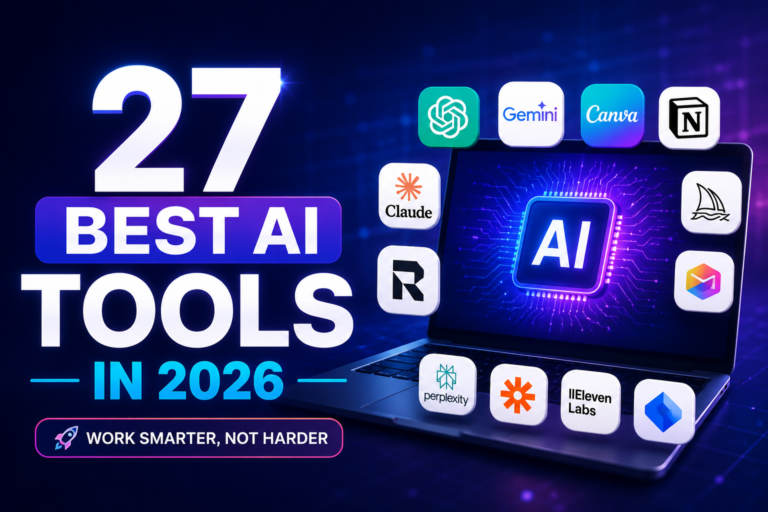
Finding the right AI tool in 2026 isn’t about chasing the loudest name. It’s about matching an assistant to the work you actually do. A tool that writes beautiful prose may fumble with a complex spreadsheet. The chatbot that helps you debug code might churn out marketing copy that sounds like a robot. This guide cuts through the clutter. You’ll get honest comparisons, real limitations, free options that actually work, and a clear path to picking the best AI tools for your specific situation—whether you’re a complete beginner or a seasoned pro.
Quick Answer: Which AI Tool Should You Start With?
If you’re looking for the best AI tools to start using in 2026, you don’t need to try dozens of platforms. Choose based on the task you perform most often:
- Everyday assistant – ChatGPT: A versatile starting point for writing, brainstorming, learning, coding, research, and everyday tasks. Its broad feature set makes it one of the best AI tools for general use.
- Deep research with sources – Perplexity: Best suited for finding information quickly and checking sources, with citations included alongside research answers.
- Long-form writing and documents – Claude: A strong choice for detailed writing, document analysis, summarisation, and tasks that require maintaining context across large amounts of text.
- Heavy Google Workspace user – Gemini: A natural choice if you regularly work inside Gmail, Google Docs, Drive, and other Google services.
- Professional coding – Cursor or GitHub Copilot: Useful for developers working with real codebases, autocomplete, debugging, refactoring, and day-to-day development workflows.
- Student (free) – ChatGPT + Perplexity: ChatGPT can help with explanations, learning, writing, and problem-solving, while Perplexity is useful when you need research and sources.
- Images – Midjourney for high-quality creative images, or DALL·E inside ChatGPT for convenient image generation within a broader AI workflow.
- Video – Runway: A strong option for AI-assisted video creation, editing, and creative visual workflows.
- Voice / audio – ElevenLabs: Designed for realistic AI voice generation and useful for narration, videos, presentations, and other audio projects.
- Microsoft 365 Workplace – Microsoft Copilot: Particularly useful for organisations and users who already work heavily with Microsoft 365 apps and services.
- Note-taking and wikis – Notion AI: A practical choice for turning notes, documents, knowledge bases, and workspace content into a more organised and searchable system.
The simplest starting point
If you’re completely new to AI, start with ChatGPT. Once you understand what you need, add Perplexity for research or a specialist tool for coding, images, video, or audio.
The goal isn’t to collect every tool on a list. The best AI tools are the ones you actually use regularly and that make your work, learning, or creative process easier.
The Major General‑Purpose AI Assistants

General AI assistants are all-in-one tools that can help with writing, brainstorming, research, coding, problem-solving, and even image generation. In 2026, three names stand out: ChatGPT, Claude, Perplexity, Microsoft Copilot and Gemini. Each has its own strengths and works better for different types of tasks, so the right choice depends on what you use AI for most.
ChatGPT
ChatGPT is the most well‑rounded of the best AI tools. It handles text, images (via DALL·E), code, and web search when you turn that feature on. The free tier is surprisingly capable; paid plans unlock longer context, better reasoning, and custom GPTs for repeated tasks.
Why it’s useful: You can throw almost anything at it—draft an email, explain a confusing topic, brainstorm business names, debug a Python script—and get a coherent response. Beginners feel comfortable immediately. Advanced users can push it far with detailed prompts and custom assistants.
Real limitation: ChatGPT can sound confident while being wrong. Always verify facts, especially on niche subjects. The free plan has usage caps during busy times.
Who it’s for: Anyone who wants one AI that does a bit of everything. If you’re completely new to AI, start here.
Who may want another tool: If your daily work is writing long, nuanced reports, Claude’s output often needs less editing. If research citations are non‑negotiable, Perplexity is a cleaner fit.
Practical example: A marketer drafts a week’s worth of social copy, creates a content calendar, and generates a couple of header images—all inside ChatGPT without switching apps.
Claude
Claude, from Anthropic, is the thinking person’s assistant. It shines when you hand in long documents—contracts, research papers, entire book drafts—and ask detailed questions. The prose it produces is often more natural and requires less post‑editing.
Why it’s useful: Claude is the best AI tool for long‑form content and careful document analysis. It can hold an enormous amount of context, which means it doesn’t “forget” what you said 20 pages ago. Writers, editors, and legal professionals tend to prefer Claude once they’ve compared alternatives.
Real limitation: No built‑in web search in the consumer product. Image generation is limited. The free plan has tighter message limits than some competitors—great quality, but you can’t chat all day without hitting a cap.
Who it’s for: Anyone who writes long reports, analyses dense documents, or needs a careful-thinking partner.
Who may want another tool: If you need live web data inside every conversation, Gemini or Perplexity is a better match. If you mostly do short, quick tasks, ChatGPT’s free tier feels more generous.
Practical example: A policy analyst uploads three 60‑page regulatory documents and asks Claude to compare conflicting clauses and produce a plain‑English summary. It handles this with impressive accuracy.
Google Gemini
Gemini is Google’s multimodal AI, woven into Gmail, Docs, Drive, and Android. It searches the web naturally, summarises YouTube videos, and generates images—all from the same prompt bar many people already have on their phones.
Why it’s useful: Gemini is the best AI tool for anyone living in the Google ecosystem. You can ask it to summarise an email thread or outline a presentation without switching tabs. The free tier covers a lot of ground, and the mobile experience is smooth.
Real limitation: Pure writing quality isn’t on Claude’s level, and the experience can feel slightly disjointed across different Google apps. Its coding is decent but not a leader.
Who it’s for: Google Workspace users, Android phone owners, and people who want AI tightly integrated into their existing workflow.
Who may want another tool: If you don’t use Google apps heavily, the integration advantage vanishes. Writers who care deeply about tone and nuance often end up using Claude for important drafts.
Practical example: A student researching a paper can ask Gemini inside Google Docs to find recent studies, pull key statistics, and format a bullet‑point outline—without leaving the document.
Perplexity
Perplexity isn’t a general chatbot. It’s a research engine with AI. Ask a question, and it gives you a concise answer with numbered citations linking to the web pages it used.
Why it’s useful: Transparency. You can click the citations and judge the sources yourself. That builds a habit of verification that pure‑chat models don’t encourage. Among the best AI tools for research, Perplexity is often the first name that comes up.
Real limitation: It’s not designed for long‑form creative writing or extended free‑flowing conversation. The free plan’s deep search (Pro) is limited.
Who it’s for: Students, academics, journalists, analysts—anyone who needs to back up answers with sources.
Who may want another tool: If you want a single AI that also handles writing and casual chat seamlessly, ChatGPT or Claude offers a broader package.
Practical example: A journalist fact‑checking a story asks Perplexity for the latest statistics on renewable energy investment and immediately sees the original report, publishing organisation, and date.
Microsoft Copilot
Microsoft Copilot integrates AI directly into Word, Excel, PowerPoint, Outlook, and Teams. For organisations on Microsoft 365, it’s less a separate app and more an intelligent layer inside the tools people already use every day.
Why it’s useful: It lives where your work happens. Copilot can draft a Word document from a prompt, summarise a missed Teams meeting with action items, or turn an outline into a presentation. Enterprise plans include privacy controls that consumer tiers lack.
Real limitation: The full Microsoft 365 Copilot add‑on can be expensive for individuals or small businesses. Some features, particularly in Excel, are still maturing.
Who it’s for: Companies on Microsoft 365, professionals buried in email and meetings, and anyone who wants AI to handle routine document work automatically.
Who may want another tool: If you’re not on Microsoft 365, the standalone ChatGPT experience gives you similar core intelligence at a lower cost.
Developer Tools: GitHub Copilot and Cursor

When people search for AI tools for coding, two names dominate—but they serve different needs.
GitHub Copilot is an AI pair programmer that autocompletes code inside your existing IDE. It predicts what you’ll type next, reduces repetitive boilerplate, and catches simple mistakes. It’s best for developers who want a boost without changing their workflow.
The cursor goes further. It’s an AI‑first code editor that lets you chat with your entire codebase, refactor across multiple files, and choose between Claude or GPT as the engine. Cursor is better for complex, multi‑file projects where deep context matters.
Critical truth: No AI coding tool writes bug‑free production code every time. They amplify skilled developers; they don’t replace understanding. Beginners should use ChatGPT or Claude to learn concepts, not just generate code.
Free access: Copilot is free for verified students and open‑source maintainers. Cursor has a limited free tier. Heavy daily use typically requires a paid plan.
- Best AI Tools in 2026: The Only Guide You Need (Tested & Ranked)
- Best AI Agents in 2026: 30+ Tools Honestly Compared (No Fluff)
- Grok 4 AI Guide (2026): Setup, Pricing & Your First API Request
Best AI Tools for Writing
Writing AI should make the first draft less painful and the editing more precise. Different tools suit different kinds of writing.
- Claude is the strongest for long‑form, nuanced content. Its long context means you can feed it a messy 5,000‑word draft and get coherent restructuring suggestions. The tone often feels more human, which saves editing time.
- ChatGPT wins on versatility. Need 15 headline variations, a formal report, and a casual social caption? ChatGPT handles all three quickly. Custom GPTs let you build a writing assistant tuned to your house style.
- Gemini is convenient for quick drafts inside Google Docs. If you’re already writing there, you can prompt it without breaking flow.
When Claude makes more sense: You’re editing a long report and need structural tightening without losing the author’s voice. When ChatGPT makes more sense: you need multiple short variations fast, or you’re writing punchy marketing copy.
Free options: ChatGPT’s free plan handles most writing tasks. Claude’s free plan is excellent but limited—save it for important drafts.
Best AI Tools for Research
Research isn’t just about getting an answer. It’s about knowing where that answer came from.
- Perplexity is the clear leader for web‑connected research with citations. It’s one of the best AI tools for students, academics, and anyone who needs to verify sources.
- ChatGPT with web search can also research, but the citation behaviour is less transparent. It’s useful for broad exploration when you want a conversational guide.
- Claude becomes the most powerful tool when your research involves documents you already have. Upload a dozen PDFs, and Claude will cross‑reference them, find contradictions, and synthesise a report. It doesn’t search the live web, but for deep work on provided materials, it’s exceptional.
- Gemini integrates Google’s index, making it quick for casual fact‑checking.
Practical example: A graduate student uses Perplexity to gather recent studies, then uploads the key papers to Claude for a deep analysis of methodological differences.
Best AI Tools for Coding
- Cursor is the current champion for complex, multi‑file projects. It understands your entire codebase and can refactor intelligently. Best for professional developers who want deep AI integration.
- GitHub Copilot is the go‑to for inline autocomplete. It reduces grunt work without disrupting your flow. Best for developers who like their existing IDE.
- ChatGPT and Claude are both excellent for learning, explaining error messages, and debugging. Best for students and junior developers.
Important: All AI coding tools can produce buggy code. They speed up people who already know what correct code looks like. They aren’t a shortcut to skip learning fundamentals.
Best AI Tools for Students
Students need tools that teach, not tools that do the work for them. The best AI tools for students work like a patient tutor and a research librarian.
- ChatGPT (free) breaks down complex topics, generates practice questions, and provides writing feedback.
- Perplexity (free) encourages good academic habits with cited answers. You can click through and verify sources.
- Claude (free, limited) excels at summarising dense textbook chapters and academic papers.
- Notion AI helps if you already organise notes in Notion—it turns messy lecture notes into structured study guides.
- GitHub Copilot (free for students) helps CS majors practise coding, provided they understand the basics.
Responsible use: AI should help you understand material, not submit AI‑generated work as your own. Ask it to explain, then practise independently. Verify facts. Follow your school’s AI policy.
The best free student stack: ChatGPT + Perplexity. That covers learning, writing, and research without spending money.
Best AI Tools for Business
Business AI use requires thinking about privacy, integration, and reliability.
- Microsoft Copilot is the natural choice for Microsoft 365 organisations. It drafts emails, summarises meetings, and generates presentations inside familiar apps. Enterprise plans include data protections that consumer tiers lack.
- ChatGPT Team/Enterprise provides shared workspaces and custom GPTs with contractual privacy controls.
- Claude is strong for contract analysis, legal review, and detailed report drafting.
- Notion AI helps small teams keep their knowledge base organised.
- Perplexity can serve as a quick research layer for market intelligence.
Privacy note: Consumer free plans may use data for training. Never put confidential business information into a consumer‑grade AI tool. Choose a plan with contractual privacy guarantees.
Best AI Tools for Productivity
Productivity AI removes friction from daily tasks. The best AI productivity tools integrate where you already work.
- ChatGPT acts as a universal productivity layer: summarise email threads, draft agendas, and generate spreadsheet formulas.
- Microsoft Copilot lives inside Office apps.
- Gemini does the same for Google Workspace.
- Notion AI turns rough notes into structured pages.
The tool that saves you the most time is the one you don’t have to switch tabs to use.
Best AI Tools for Content Creation
Creators juggle writing, visuals, video, and audio. No single AI covers everything well. A small, deliberate stack works better.
- Writing: Claude (long‑form) and ChatGPT (short‑form, variations).
- Images: Midjourney (quality) or DALL·E inside ChatGPT (free convenience).
- Video: Runway for AI‑generated video; Synthesia for avatar‑based training videos.
- Voice: ElevenLabs for natural narration.
Start with ChatGPT + DALL·E. Add specialists only when you consistently hit a gap.
Best AI Tools for Image Generation
- Midjourney is the best AI tool for aesthetic quality. It’s paid, but the output often looks stunning with minimal retouching.
- DALL·E (inside ChatGPT) is the most convenient. It’s included in ChatGPT’s free plan (with limits) and works alongside your conversation.
- Adobe Firefly integrates into Photoshop and Illustrator, designed for commercially safe outputs.
- Stable Diffusion is open‑source and endlessly customisable but requires technical setup.
Key limitation: AI images still struggle with perfect text rendering and consistent character faces. Treat them as idea starters, not final production assets.
Best AI Tools for Video Creation
- Runway offers text‑to‑video, image‑to‑video, and editing tools. It’s the most polished commercial option.
- Pika is good for short, creative clips.
- Synthesia creates AI‑avatar videos for training and marketing; no filming is required.
AI video is still maturing. Short social content works well; long‑form professional production usually needs significant human editing.
Best AI Tools for Voice and Audio
- ElevenLabs leads in natural‑sounding text‑to‑speech and voice cloning. The emotional range is impressive, and it supports multiple languages. The free tier gives limited characters.
- ChatGPT’s voice mode is great for interactive, conversational use.
- Descript combines editing with AI‑powered transcription and overdub—popular with podcasters.
Best AI Tools for Automation
Automation connects AI to your existing apps without constant manual prompting.
- Zapier Central lets you connect thousands of apps to AI models. For example: “When I get an email from a client, summarise it and add it as a Notion task.” No coding needed.
- Make (Integromat) offers visual drag‑and‑drop builders for more complex workflows.
- Custom APIs (OpenAI, Anthropic, Google) give developers full control.
Beginners should start with Zapier. It’s the quickest way to put the best AI tools to work across your entire app stack.
Best AI Tools for Document Analysis
- Claude is the best AI tool for analysing long PDFs, contracts, and research papers. Its context window is enormous, and it can compare documents with precision.
- ChatGPT excels with data‑heavy spreadsheets via its code interpreter. Upload a messy CSV and ask for trends or cleaned‑up data.
- Perplexity can analyse uploaded files alongside web sources, though its depth with very long documents isn’t yet at Claude’s level.
Practical example: A consultant uploads a 120‑page RFP to Claude and asks, “What are the top five risks in this document?” It returns a structured answer with references to the relevant sections.
Best Free AI Tools in 2026
“Free” can mean a generous tier, a limited plan, or an open‑source project you run yourself. This section covers the best free AI tools you can actually rely on—without misleading “unlimited” promises.
Important: Free plans change. Limits can tighten overnight. Treat “unlimited free AI” claims with scepticism. Most high‑quality services cap usage.
Best Free AI for Everyday Use
ChatGPT (free) is the most well‑rounded. You get text, image generation, file upload, and web search. Gemini (free) integrates search natively and works well on Android. Perplexity (free) gives sourced answers without a paywall.
Best Free AI for Writing
ChatGPT’s free tier handles most writing tasks. Claude’s free plan provides better prose but with tighter limits—save it for important drafts.
Best Free AI for Research
Perplexity’s free search is excellent. ChatGPT’s free web search also works, but Perplexity’s citation model is cleaner.
Best Free AI for Students
Combine ChatGPT (free) and Perplexity (free). Add Claude’s free tier occasionally for deep document summaries. Notion’s free plan plus limited Notion AI can help with note organisation.
Best Free AI for Coding
ChatGPT (free) and Gemini (free) are great for explaining code. GitHub Copilot is free for verified students and open‑source maintainers. Cursor’s free tier lets you explore before paying.
Best Free AI for Images
ChatGPT includes DALL·E free (with limits). Gemini also generates images on its free tier. For unlimited experimentation, self‑hosted Stable Diffusion is an option—but it requires your own hardware.
Bottom line: You can access several of the best AI tools without paying. Just understand the limits, and don’t believe any service that promises unlimited, cutting‑edge AI for free forever.
Top AI Apps in India (and Beyond)
Many Indian users prioritise free, mobile‑friendly AI tools with strong English and growing multilingual support. Here’s what’s actually useful—not just popular.
- ChatGPT: Excellent mobile app, generous free tier, works on mid‑range devices.
- Google Gemini: Deeply integrated into Android, handles voice naturally, with expanding Hindi and other Indian language support.
- Microsoft Copilot: Free via Bing app; integrates with productivity tools many already use.
- Perplexity: Lightweight, mobile‑friendly, and excellent for student research.
- Notion: Popular with students and startups for organising notes and projects.
“Most popular” is not the same as “best”. Choose based on your daily tasks, not download charts. Language support varies—check settings if you work in languages other than English.
Which Free AI Tool Should You Choose?
- Complete beginner: ChatGPT (free) – the easiest on‑ramp.
- Student: ChatGPT + Perplexity (both free).
- Writer: Claude (free) for important long drafts; ChatGPT (free) for quick tasks.
- Developer: ChatGPT (free) or Gemini (free); Copilot free if eligible.
- Researcher: Perplexity (free) as your primary source.
- Content creator: ChatGPT (free) + DALL·E inside it for visuals.
- Small business owner: ChatGPT (free) handles most tasks. Explore Copilot’s free chat if you use Microsoft 365.
One excellent free tool used deeply beats five you barely open.
ChatGPT vs Claude vs Gemini vs Perplexity
All four are often called the best AI tools, but they win different races. Here’s a quick comparison:
| Feature | ChatGPT | Claude | Gemini | Perplexity |
|---|---|---|---|---|
| General use | Most versatile | Excellent for deep work | Good, especially in the Google ecosystem. | Good, but research‑focused |
| Writing quality | Versatile, can be generic | Best natural prose | Competent | Not designed for long‑form |
| Research with sources | Web search, fewer citations | No live web search | Integrated Google search | Best citations and transparency |
| Coding | Strong, good for learning | Strong, good for reasoning | Decent | Can help, not a coding tool |
| Long documents | Good, but limited free context | Best in class | Limited | Good for file + web combo |
| Ease of use | Very easy | Easy, once you know its strengths. | Easy for Google users | Very easy |
| Free tier | Most generous feature set | Limited but quality | Solid | Excellent for research |
| Ecosystem | Standalone, custom GPTs | Standalone | Google Workspace | Standalone |
There is no universal best. If you need one AI for almost everything, ChatGPT is the safest bet. If writing and documents dominate your day, Claude pulls ahead. If research citations are non‑negotiable, Perplexity is the tool. If you live in Google apps, Gemini’s convenience is hard to beat.
Which AI Is Best for You?

Choosing the best AI tools depends on your goals, workflow, and the type of tasks you perform most often. Use this quick guide to find the right starting point:
- One AI for almost everything → ChatGPT
- Research first → Perplexity
- Long documents priority → Claude
- Coding priority → Cursor (pro), GitHub Copilot (inline), ChatGPT (learning)
- Google Workspace central → Gemini
- Microsoft 365 central → Microsoft Copilot
- Student → ChatGPT + Perplexity
- Images → Midjourney (quality) or DALL·E (free convenience)
- Free options → ChatGPT, Perplexity, Gemini
There is no universal winner among the best AI tools. The right choice is the one that fits naturally into your existing workflow and consistently helps you complete tasks faster or better.
Best AI Tools by User Type
Different people need different AI capabilities. Instead of choosing based only on popularity, compare the best AI tools according to your specific role and daily requirements.
- Students: ChatGPT, Perplexity, Claude, Notion AI
- Developers: Cursor, GitHub Copilot, ChatGPT, Claude
- Writers: Claude for long-form writing, ChatGPT for versatility
- Researchers: Perplexity, Claude, ChatGPT
- Content creators: ChatGPT, Midjourney, ElevenLabs, Runway
- Designers: Midjourney, Adobe Firefly
- Marketers: ChatGPT, Claude, Perplexity
- Entrepreneurs & small businesses: ChatGPT, Notion AI, Perplexity
- Office workers: Microsoft Copilot or Gemini, depending on your ecosystem, with ChatGPT for standalone tasks
- Teachers: ChatGPT, Perplexity, Claude
- Beginners: ChatGPT first, then explore other best AI tools as your needs grow
- Advanced users: Claude, Cursor, Perplexity Pro, and API access
The best AI tools for one user may not be the best choice for another. A student may need research and learning support, while a developer may care more about codebase understanding and integrations. Start with the tool that solves your biggest problem, then expand your AI stack only when you have a genuine need.
For most people, starting with one general-purpose assistant and adding one specialist is enough. This keeps your workflow simple while still giving you access to the best AI tools for the tasks that matter most.
Each group benefits from a slightly different combination. Start with one tool, then add only when you feel a genuine gap.
How to Choose the Best AI Tools
The most expensive or most famous AI is not automatically the best AI tool for you. Fit matters more than hype. When comparing the best AI tools, consider these factors before committing:
- Primary task: Writing, coding, research, design, or automation? Match the tool to the job and choose the best AI tools based on what you actually need to accomplish.
- Accuracy needs: If mistakes cost you money or credibility, prioritise tools with citations, such as Perplexity, or strong reasoning capabilities, such as Claude.
- Privacy: Sensitive data? Use enterprise plans rather than consumer-free tiers when appropriate. Always check the provider’s data-handling terms before entering confidential information.
- File support: Do you regularly upload PDFs, spreadsheets, or images? Verify that the AI tool handles the file types and document sizes you use regularly.
- Web access: Not all AI assistants have live search. Perplexity and Gemini include web access natively, while ChatGPT offers web search features. Claude’s capabilities can vary by product and plan, so check the current features before choosing.
- Integrations: If you live in Google Workspace or Microsoft 365, an integrated AI can save more time than a standalone chatbot. This is an important factor when comparing the best AI tools for productivity.
- Context length: Working with long documents? Look for an AI that can comfortably handle the amount of information you regularly work with rather than choosing based only on marketing claims.
- Coding depth: Are you working with small snippets or entire codebases? Choose a tool that matches the complexity of your development workflow.
- Budget: Exhaust free tiers before paying. Many users discover that one or two of the best AI tools are enough for their everyday needs and that they do not actually need multiple subscriptions.
Should You Use One AI Tool or Multiple?
Most people need far fewer tools than they think. A small, intentional AI stack often outperforms a dozen separate logins. The goal is not to collect the best AI tools, but to build a workflow that genuinely saves you time.
The optimal two-tool core:
- One general assistant, such as ChatGPT or Claude
- One research tool, such as Perplexity, if you frequently need cited information
Add a specialist only when your core tools repeatedly fail to meet a specific need:
- Daily coding → Cursor or GitHub Copilot
- Frequent image creation → Midjourney
- Regular audio/video work → ElevenLabs or Runway
Paying for three writing AIs is rarely justified. Start lean. Identify genuine gaps in your workflow. Then fill those gaps with the best AI tools for the specific job.
Common Mistakes People Make When Choosing AI Tools
- Picking based only on popularity. What works for millions of people may not fit your workflow. The best AI tools are different for every person and use case.
- Trusting every AI answer. Even the best AI tools can make mistakes or generate inaccurate information. Verify important facts before relying on them.
- Paying for too many subscriptions. One tool used deeply can be more valuable than five tools used superficially. Start with what you actually need.
- Ignoring free plans. Test tools before committing to a subscription. Many people pay for advanced features they rarely use.
- Neglecting privacy. Putting confidential or sensitive information into a consumer chatbot can create unnecessary privacy and legal risks. Review the provider’s data policies first.
- Using the wrong tool for the task. A research-focused AI may not be ideal for creative writing, while a writing-focused assistant may not be the right choice for live web research. Match the tool to the job.
- Expecting AI to replace judgement. AI can augment your thinking, research, and productivity, but it does not replace human judgement. The best AI tools work as assistants rather than substitutes for your own decisions.
- Believing “unlimited free AI” claims. High-quality free tiers usually have usage limits. Truly unlimited access may require running open-source models on your own hardware, which comes with its own costs and technical requirements.
- Not verifying research citations. Do not assume that an AI-generated citation is automatically accurate. Click the links, read the actual pages, and confirm that the source supports the claim.
- Publishing raw AI output without editing. Raw AI text can sound generic, repetitive, or disconnected from your audience. Always review, fact-check, and refine AI-generated content before publishing. Even when using the best AI tools, human editing remains essential.
Frequently Asked Questions
What is the best AI tool in 2026?
There is no single best AI tool for everyone. ChatGPT is the most versatile starting point. Claude leads in long-form writing and document analysis, while Perplexity is excellent for research with citations. The best AI tools ultimately depend on what you need to accomplish.
Which AI is best for everyday use?
ChatGPT and Gemini are both excellent choices for everyday tasks. ChatGPT’s free plan covers writing, search, and image generation, making it one of the best AI tools for people who want a versatile daily assistant.
What are the best AI tools for students?
A free combination of ChatGPT for learning and writing and Perplexity for research with sources is a strong choice. Claude’s free tier can also help with long readings when usage limits allow. Together, these are among the best AI tools for students.
What are the best free AI tools?
ChatGPT, Perplexity, and Gemini all offer capable free tiers. Claude’s free tier provides high-quality results but can be more limited. For image generation, DALL·E inside ChatGPT is available for free within usage limits. These options make up some of the best AI tools you can try without paying.
Which AI is best for coding?
Professional developers often prefer Cursor for complex projects and GitHub Copilot for inline code completions. For learning programming and solving coding problems, ChatGPT is an excellent option. The right combination can make these some of the best AI tools for developers and students.
Which AI is best for research?
Perplexity is one of the strongest choices for cited, verifiable research. Claude is useful for analysing uploaded documents, although its live-web capabilities differ from dedicated research tools. For source-focused research, Perplexity remains one of the best AI tools available.
Which is better, ChatGPT or Gemini?
ChatGPT is generally more versatile and strong for writing, coding, and a wide range of everyday tasks. Gemini is particularly convenient if you use Google Workspace heavily. The better option depends on your workflow, so both can be considered among the best AI tools for different users.
Is Claude better than ChatGPT?
Claude can be better for long-form writing and analysing very long documents, while ChatGPT is more versatile across different types of tasks. Many people use both because each has different strengths. Choosing between them depends on which features you need from the best AI tools for your workflow.
Is Perplexity better for research?
Yes, especially when you need to quickly find and verify sources. Its citation-focused approach makes it a strong choice for research and fact-checking. For users who regularly work with online sources, Perplexity is one of the best AI tools to consider.
What is the best AI for business?
Microsoft Copilot is a strong choice for organisations that rely heavily on Microsoft 365. ChatGPT Team or Enterprise can be useful for other business workflows, while Notion AI is convenient for teams already using Notion. The best AI tools for business depend heavily on the company’s existing software and workflow.
Can I use AI tools for free?
Yes. Several of the best AI tools offer strong free tiers, although usage limits, features, and availability can vary. Free plans are a good way to test an AI tool before deciding whether a paid subscription is worthwhile.
Are there unlimited free AI tools?
High-quality unlimited free AI is rare because most major services place limits on usage. Open-source models can provide more flexibility when they are run locally on your own hardware, although setup and hardware requirements can vary.
Which AI tools are best for beginners?
ChatGPT is one of the most beginner-friendly options because it can handle many different tasks through simple natural-language instructions. Perplexity and Gemini are also easy to start with, making them useful choices for people exploring AI for the first time.
How many AI tools should I use?
Start with one general-purpose assistant and learn how to use it effectively. Add a dedicated research tool if you regularly need sources, then consider specialist tools only when you consistently reach a limitation. You do not need dozens of the best AI tools to get meaningful results from AI.
The Bottom Line
The best AI tools aren’t necessarily the ones with the flashiest demos or the biggest marketing budgets. They’re the ones that fit into the quiet rhythm of your actual work—helping you write that report a little faster, understand a concept a little deeper, or debug that code with a little less frustration.
Start with one tool. Learn what it does well and where it lets you down. That experience will tell you exactly what you need next, if anything. AI changes quickly, but the habit of matching tools to tasks will serve you longer than any single subscription ever could.
Use the free plans. Compare them honestly. And trust your own judgement over any list—including this one. Because in the end, the best AI tools are the ones that help you do your best work, not the ones everyone else is talking about.



7 thoughts on “27 Best AI Tools in 2026: A Practical Guide for Work, Study, and Creativity”
Easy USA 💪
Powerful 💪 content 😁💪