
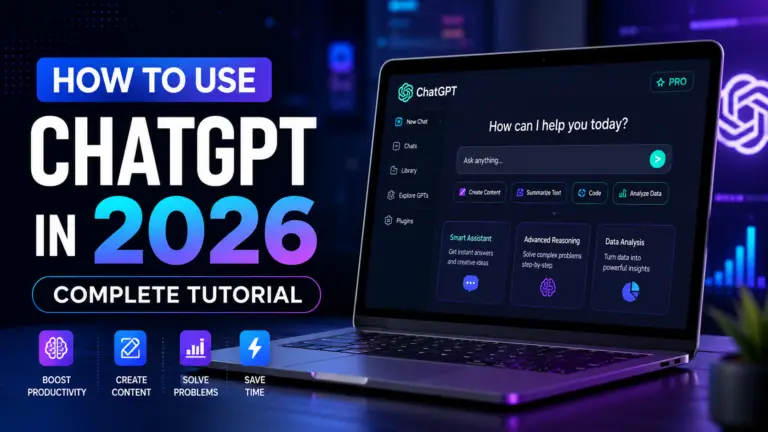
Introduction
Artificial Intelligence (AI) is changing the way people learn, work, and solve problems. In 2026, tools like ChatGPT are no longer just for technology experts. Students use it to study smarter, professionals use it to save time, creators use it to generate ideas, and businesses use it to improve productivity.
Among the many AI tools available today, ChatGPT has become one of the most popular because it is easy to use and incredibly versatile. Whether you want to write content, learn a new skill, research a topic, create a study plan, or get help with everyday tasks, ChatGPT can assist you through simple conversations.
The challenge is that most beginners only use a small fraction of what ChatGPT can actually do. As a result, they often receive average answers and miss out on features that could save hours of work.
In this guide, you’ll learn what ChatGPT is, how it works, how to write better prompts, common use cases, safety tips, and practical ways to get more accurate results. By the end, you’ll know how to use ChatGPT confidently and make it a valuable part of your daily workflow.
What Is ChatGPT?
Imagine having a smart assistant that is available 24/7 to answer questions, explain difficult topics, generate ideas, write content, and help solve problems. That’s exactly what ChatGPT is.
ChatGPT is an advanced AI chatbot developed by OpenAI that can understand and respond to human language in a natural way. Instead of searching through dozens of websites to find information, you can simply ask a question and receive a clear, detailed answer within seconds.
People use ChatGPT for a wide variety of tasks, including:
- Learning new topics
- Writing emails and articles
- Generating content ideas
- Summarizing long documents
- Creating study plans
- Research and brainstorming
- Coding and problem-solving
One of the biggest reasons behind ChatGPT’s popularity is its simplicity. You don’t need to be a programmer or have technical knowledge to use it. If you can type a message, you can start using ChatGPT immediately.
Think of ChatGPT as a combination of a teacher, writer, researcher, assistant, and brainstorming partner—all in one tool. Whether you’re a student, professional, creator, or business owner, it can help you complete tasks faster and learn more effectively.
But if ChatGPT can do so many things, how does it actually understand your questions and generate human-like responses? Let’s look at how ChatGPT works behind the scenes.
Who Is This Guide For?
One of the best things about ChatGPT is that it can be used by almost anyone, regardless of their background or experience level. You don’t need to be a technology expert to benefit from AI.
This guide is perfect for:
- Students
- Professionals
- Content Creators
- Developers & Beginners in Coding
- Business Owners & Freelancers
Anyone Curious About AI
If you’ve heard about ChatGPT and want to understand how it works, this guide will help you get started with confidence.
No matter your profession or skill level, learning how to use ChatGPT effectively can help you save time, learn faster, and work smarter in today’s AI-powered world.
What Will You Learn From This Guide?
If you’re completely new to ChatGPT, don’t worry. This guide is designed to take you from beginner to confident user, step by step.
By the end of this guide, you’ll understand:
- What ChatGPT is and how it works
- How to access and start using ChatGPT
- The difference between ChatGPT and traditional search engines
- How to write clear prompts that generate better responses
- Useful prompt templates you can use right away
- Real-world examples for studying, work, content creation, and research
- The most common mistakes beginners make and how to avoid them
- Important privacy and safety practices every user should know
- Whether the free plan is enough or if you should consider a paid plan
Most importantly, you’ll learn how to communicate with ChatGPT effectively so you can get more accurate, useful, and personalized answers.
Whether your goal is to learn faster, save time, improve productivity, create content, or explore AI, this guide will give you the practical knowledge needed to make ChatGPT a valuable part of your daily routine.
Now that you know what you’ll learn, let’s explore the technology behind ChatGPT and understand how it generates answers in seconds.
How ChatGPT Works
At first glance, ChatGPT can feel almost magical. You ask a question, and within seconds, it provides a detailed answer. However, behind the scenes, ChatGPT relies on advanced Artificial Intelligence (AI) technology to understand and respond to your requests.
ChatGPT is powered by a Large Language Model (LLM). This AI model has been trained on a vast amount of information from books, articles, websites, and other educational resources. During training, it learns patterns in language, how words relate to each other, and how people communicate.
When you type a question, ChatGPT doesn’t think like a human, nor does it search the internet the same way a search engine does. Instead, it analyzes your prompt, understands the context, and predicts the most relevant response based on what it learned during training.
Think of it this way:
- Search engines help you find information.
- ChatGPT helps you understand information.
This is why ChatGPT can explain complex topics in simple language, summarize content, generate ideas, write articles, assist with coding, and answer follow-up questions naturally.
Another powerful feature is context awareness. During a conversation, ChatGPT remembers what you’ve already discussed, allowing it to provide more relevant and personalized responses.
While ChatGPT is incredibly useful, it’s important to remember that it isn’t perfect. Sometimes it may provide outdated or incorrect information. That’s why you should always verify important facts, especially when dealing with topics related to health, finance, law, or major decisions.
Now that you understand how ChatGPT works, let’s compare it with traditional search engines and see why millions of people use both together.
ChatGPT vs Search Engines: What’s the Difference?

Many beginners wonder whether ChatGPT can replace Google or other search engines. The short answer is no. While both tools help you find information, they work in very different ways and serve different purposes.
A search engine like Google is designed to find and display relevant websites, articles, videos, and online resources. You enter a query, and it provides links where you can find the information yourself.
ChatGPT, on the other hand, is designed to understand your question and provide a direct answer in a conversational format. Instead of giving you a list of websites, it explains concepts, summarizes information, and helps you understand topics more easily.
Search Engines Are Better For:
- Finding the latest news and updates
- Checking real-time information
- Visiting specific websites
- Shopping and product comparisons
- Verifying information from official sources
ChatGPT Is Better For:
- Learning new topics quickly
- Explaining complex concepts
- Brainstorming ideas
- Writing content and emails
- Creating study notes and summaries
- Solving problems step by step
A Simple Example
If you search:
“How does photosynthesis work?”
A search engine will show multiple websites that discuss photosynthesis.
ChatGPT will explain the process directly in simple language and can even adjust the explanation based on your age, knowledge level, or learning goals.
Which One Should You Use?
The smartest approach is to use both together.
Use search engines when you need the latest information, official sources, or website links.
Use ChatGPT when you want explanations, guidance, summaries, brainstorming help, or personalized learning support.
This combination can help you learn faster, save time, and make better decisions.
But ChatGPT isn’t the only AI assistant available today. How does it compare to popular AI tools like Google Gemini, Claude, and others? Let’s find out.
Also read : Top 10 AI Tools You Should Try in 2026
Do You Need Coding Skills to Use ChatGPT?
One of the most common questions beginners ask is: “Do I need coding skills to use ChatGPT?”
The answer is No.
ChatGPT is designed for everyone, not just programmers or technology experts. You can use it simply by typing questions in everyday language, just like you’re chatting with a friend.
For example, you can ask ChatGPT to:
- Explain a difficult topic
- Write an email
- Create a study plan
- Generate content ideas
- Summarize an article
- Help with homework
- Plan a trip or schedule
No programming knowledge is required for any of these tasks.
However, if you’re a developer or learning programming, ChatGPT can also help with coding. It can explain code, find errors, suggest improvements, and teach programming concepts in a beginner-friendly way.
The reason ChatGPT has become so popular is that it removes technical barriers. Whether you’re a student, teacher, freelancer, business owner, or working professional, you can start using ChatGPT immediately without any special training.
The real skill isn’t coding—it’s learning how to ask better questions. That’s why the next section is one of the most important parts of this guide: understanding the key ChatGPT terms every beginner should know.
Important ChatGPT Terms Every Beginner Should Know
Before you start using ChatGPT regularly, it’s helpful to understand a few basic terms. Knowing these terms will make it easier to follow tutorials, write better prompts, and get more accurate results.
Prompt
A prompt is the instruction, question, or request you give to ChatGPT.
Example:
Create a 7-day study plan for learning JavaScript.
The better your prompt, the better the response.
Response
A response is the answer generated by ChatGPT based on your prompt.
AI (Artificial Intelligence)
Artificial Intelligence refers to technology that can perform tasks that normally require human intelligence, such as understanding language, solving problems, and generating content.
LLM (Large Language Model)
A Large Language Model (LLM) is the technology that powers ChatGPT. It has been trained on large amounts of text to understand language patterns and generate human-like responses.
Conversation
A conversation is the ongoing chat between you and ChatGPT. The AI can remember previous messages within the same chat, helping it provide more relevant answers.
Hallucination
Sometimes AI may generate information that sounds correct but is actually inaccurate. This is known as an AI hallucination. Always verify important facts using trusted sources.
Context
Context is the background information you provide in your prompt. More context usually leads to better and more personalized responses.
Understanding these terms will help you use ChatGPT more effectively and avoid common beginner mistakes.
Now that you know the basic terminology, let’s look at how you can access ChatGPT and start using it on different devices.
How to Access ChatGPT

Getting started with ChatGPT is simple and only takes a few minutes. Whether you’re using a smartphone, tablet, or computer, you can access ChatGPT from almost anywhere.
Step 1: Create an Account
Visit the ChatGPT website or download the official mobile app. You can sign up using:
- Email Address
- Google Account
- Apple Account
After creating your account, you’ll be ready to start chatting with AI.
Step 2: Start a New Chat
Once you’re logged in, you’ll see a chat box where you can type your questions or requests.
For example:
- Explain Artificial Intelligence in simple words.
- Create a study plan for my exams.
- Write a professional email for a job application.
Simply enter your prompt and ChatGPT will generate a response within seconds.
Step 3: Continue the Conversation
One of ChatGPT’s biggest advantages is that you can ask follow-up questions without starting over.
For example:
You: Explain JavaScript.
ChatGPT: Gives an explanation.
You: Explain it like I’m a beginner.
ChatGPT will adjust its answer based on the conversation.
Where Can You Use ChatGPT?
- Desktop & Laptop
- Android Phones
- iPhone & iPad
- Web Browser
This flexibility allows you to use ChatGPT for learning, work, research, and productivity wherever you are.
Now that you know how to access ChatGPT, the next question is important: Is the free version enough, or should you upgrade to a paid plan?
Free vs Paid Plans: Which ChatGPT Plan Is Right for You?
Most beginners can start with the free version of ChatGPT. It provides enough features for learning, research, writing, brainstorming, and everyday productivity tasks.
A paid plan may be useful if you:
- Use ChatGPT frequently
- Need access to advanced AI models
- Want faster responses
- Use image generation and advanced tools
- Need higher usage limits
For most new users, the best approach is simple: start free and upgrade only when your needs grow.
How to Write Better Prompts
The quality of ChatGPT’s answers depends heavily on the quality of your prompt.
Instead of asking:
Write an article.
Try:
Write a 1000-word beginner-friendly article about digital marketing with practical examples.
Tips for Better Prompts
- Be specific
- Add context
- Mention your goal
- Define the audience
- Request a format
The more details you provide, the better the results.
Best Prompt Templates

Learning Prompt
Explain [topic] in simple terms for a beginner.
Writing Prompt
Act as a professional writer and create a blog post about [topic].
Research Prompt
Summarize the key points of [topic] in bullet points.
Productivity Prompt
Create a step-by-step plan to achieve [goal].
Career Prompt
Suggest a roadmap for becoming a [profession].
These templates can save time and improve response quality.
Real Examples of ChatGPT Prompts
For Students
Create a 30-day study plan for learning Python.
For Content Creators
Generate 20 blog post ideas about Artificial Intelligence.
For Professionals
Write a professional email requesting a project update.
For Developers
Explain JavaScript promises with simple examples.
For Business Owners
Create a social media marketing strategy for a local business.
Using practical prompts like these helps beginners understand ChatGPT’s real capabilities.
Common Use Cases of ChatGPT

People use ChatGPT for a wide range of tasks.
Education
- Learning concepts
- Homework help
- Exam preparation
Content Creation
- Blog writing
- YouTube scripts
- Social media content
Work & Productivity
- Emails
- Reports
- Meeting summaries
Programming
- Code explanations
- Debugging
- Learning new technologies
Business
- Marketing ideas
- Customer support drafts
- Process documentation
The possibilities continue to expand as AI technology evolves.
Safety & Privacy Tips
While ChatGPT is a powerful tool, responsible use is important.
Best Practices
- Verify important information
- Review AI-generated content
- Use trusted sources for critical decisions
- Keep conversations professional
AI should support your decisions—not replace critical thinking.
What Not to Share With ChatGPT
To protect your privacy, avoid sharing:
❌ Passwords
❌ Banking information
❌ Government ID numbers
❌ Personal medical records
❌ Confidential business information
❌ Private customer data
A good rule is simple: If you wouldn’t post it publicly online, don’t share it with AI.
Common Mistakes Beginners Make
Asking Vague Questions
Bad:
Tell me about marketing.
Better:
Explain digital marketing for a small business owner.
Not Providing Context
More context = better answers.
Expecting Perfect Accuracy
ChatGPT can make mistakes, so verify important facts.
Giving Up After One Prompt
Great results often come from follow-up questions and refinements.
Why Learning How to Use ChatGPT Is Important
Knowing how to use ChatGPT can help you work smarter, learn faster, and improve productivity. Whether you’re a student, developer, teacher, or content creator, understanding how to use ChatGPT can save time and make everyday tasks easier.
One of the biggest advantages of learning how to use ChatGPT is its ability to provide instant assistance for writing, research, learning, and problem-solving. As you continue exploring how to use ChatGPT, you’ll discover new ways to create content, generate ideas, and improve your workflow.
If you want the best results, it’s important to understand how to use ChatGPT effectively, write clear prompts, and provide enough context. The more you practice how to use ChatGPT, the better responses you’ll receive and the more value you’ll get from this powerful AI tool.
How to Use ChatGPT Effectively?
To use ChatGPT effectively, provide clear instructions, relevant context, and specific goals in your prompts. The more details you include, the better the response will be. Learning how to use ChatGPT effectively can help improve productivity, content creation, research, learning, and everyday problem-solving.
Frequently Asked Questions (FAQ)
Is ChatGPT free?
Yes. A free version of ChatGPT is available for everyone, allowing users to explore its basic features without any cost.
Can ChatGPT replace Google?
No. ChatGPT and search engines serve different purposes. While Google helps you find information from websites, ChatGPT provides direct conversational answers and explanations.
Do I need coding skills?
No. Anyone can use ChatGPT through natural language. You simply type your question or request, and ChatGPT responds accordingly.
Is ChatGPT safe?
Yes. ChatGPT is generally safe to use when used responsibly. However, you should avoid sharing passwords, financial details, or other sensitive personal information.
Can ChatGPT make mistakes?
Yes. ChatGPT can occasionally generate inaccurate or outdated information. Always verify important facts using reliable and trusted sources.
How to Use ChatGPT for Beginners?
The best way to learn how to use ChatGPT is to start with simple prompts and gradually experiment with different types of questions. Understanding how to use ChatGPT effectively takes practice and consistency.
Why Is It Important to Learn How to Use ChatGPT?
Learning how to use ChatGPT can help improve productivity, research, content creation, and problem-solving. As AI tools become more common, knowing how to use ChatGPT is becoming a valuable digital skill.
What Is the Best Way to Improve How You Use ChatGPT?
The best way to improve how to use ChatGPT is by writing detailed prompts, providing context, and refining your requests. The more you practice how to use ChatGPT, the better your results will become.
Conclusion
Now that you’ve learned how to use ChatGPT, you’re ready to take advantage of one of the most powerful AI tools available today. Understanding how to use ChatGPT effectively can help you create content, learn new skills, conduct research, and improve productivity in both personal and professional tasks.
As you continue practicing how to use ChatGPT, you’ll discover better prompting techniques and more advanced use cases. The key to success is experimenting with different prompts and learning how to use ChatGPT in ways that match your goals and workflow.
Whether you’re a student, teacher, developer, creator, or business professional, knowing how to use ChatGPT can help you work smarter, save time, and get better results from AI.




6 thoughts on “How to Use ChatGPT (2026) – Avoid Common Mistakes and Get Better Results”
Best knownladge of My Ai gerney 😊
Wooowww good article 👌👍