
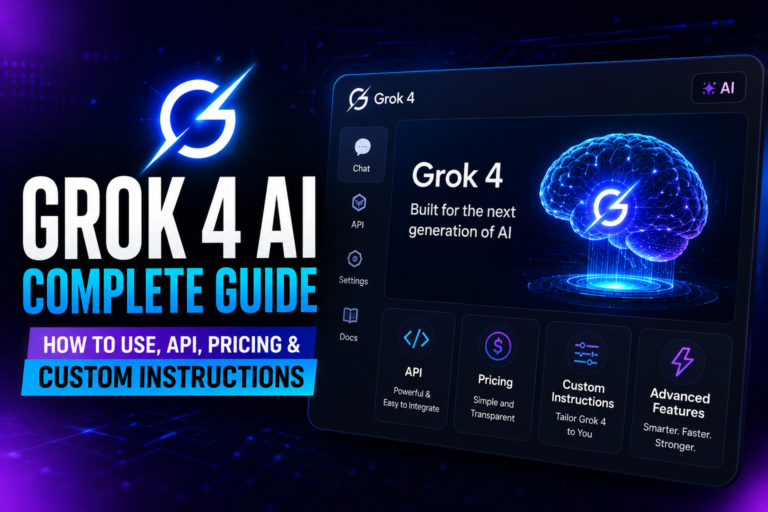
An Overview
Grok 4 is more than just a big language model. This AI, developed by Elon Musk’s xAI, combines a large 256,000-token context window with native tool use, real-time X integration, and a reasoning engine that frequently outperforms more well-known rivals on challenging benchmarks.
Everything that matters is covered in this Grok 4 AI Complete Guide, from creating unique instructions that trigger deep reasoning to comparing Grok 4 head-to-head with GPT-4o and Claude, from creating a free account to making your first API call.
Real usage data, official documentation, and practical testing serve as the foundation for each section. You’ve come to the right spot if you’re looking for the most useful Grok 4 AI Complete Guide that genuinely produces results.
Numerous novices look for a trustworthy Grok 4 AI Complete Guide, and this one is designed to address all of your queries.
Grok 4: What Is It?
Grok 4 is a large language model with reinforcement learning baked in, released by xAI in July 2025.
From day one, it was designed to use tools—not just generate text. It can run code in a secure sandbox, call external APIs, and pull live data from the web and X (formerly Twitter). That means it can verify facts, execute real‑world steps, and update answers when breaking news hits.
This Grok 4 AI Complete Guide will help you understand what makes it different.
The model includes a 256k token context window, which is sufficient to read a 500-page book in one go. Its reasoning modes (Auto, Fast, Expert, and a multi-agent heavy mode) allow you to customize the depth based on whether you want a quick fact or a step-by-step mathematical proof.
Why should you be concerned? Because Grok 4 does more than just talk. It does something. It does a search. It builds. And it thinks harder than most models when you need it to.
Key Features That Set Grok 4 Apart
256k Token Context Window
You can upload entire codebases, legal contracts, or long research papers and ask questions that span the whole document. Grok 4 stays coherent from the first token to the last.
What this means for you: No more splitting documents. No more losing context. Just upload and ask.
Real‑Time Search & X Integration
Unlike models trained only on static data, Grok 4 can fetch the latest news, trending X posts, and live web pages. If a story broke five minutes ago, it can pull the details and cite sources.
Real‑world example: Ask, “What’s trending on X right now about the stock market?” and Grok 4 gives you live posts, not six‑month‑old training data.
Native Tool Use
Grok 4 automatically decides when to run code, search the internet, or use a function you’ve defined. This makes it an agent, not just a chatbot.
You can ask it to scrape a website and summarize the data, and it will actually execute the steps. No manual copying. No external scripts.
Heavy Mode – Multi‑Agent Reasoning
For the hardest problems, Heavy mode deploys several reasoning agents in parallel. They debate, verify, and refine answers before a final response.
This Grok 4 AI Complete Guide strongly recommends Heavy mode for advanced mathematics, scientific research, and complex code debugging.
Grok Build – Instant App & Document Creation
With a canvas‑like tool, you can describe a web app, a report, or a browser game, and Grok 4 will generate the code and a live preview. No local setup required.
How to Access Grok 4 (Free & Paid Options)

Grok 4 is not a permanently free service, but several ways exist to try it without immediate cost.
This part of the Grok 4 AI Complete Guide clarifies all the options.
Free Trial & Limited Free Access
- X (Twitter) basic tier sometimes offers access to a lighter version of Grok—good for experimenting, but it won’t include Heavy mode or the full 256k context.
- SuperGrok trial: New users occasionally receive a 7‑ or 14‑day trial of SuperGrok, which unlocks Grok 4 and Grok 4.1. Keep an eye on grok.com or your X account.
- API free credits: When you first sign up for the xAI API, you often get a small credit (e.g., $5–$25) to test calls. This is the closest you’ll get to a free API key for a limited time. That’s how many users start using Grok 4 for free.
Paid Plans
| Plan | Price (approx.) | What You Get |
|---|---|---|
| X Premium+ | $16/month | Grok 4 access in X DM and sidebar, standard reasoning modes, web search |
| SuperGrok | $30/month | Full Grok 4 + Grok 4.1, Heavy mode, Build canvas, higher rate limits |
| SuperGrok Heavy | $300/month | Unlimited Heavy mode usage, priority access, highest context limits |
| xAI API (pay‑per‑use) | Varies by token | Programmatic access to Grok 4, tool calling, structured outputs |
⚠️ Warning: Free credits on the API expire. Check your account dashboard so you don’t lose them before testing.
Grok 4 API: Setup, Pricing & First Call

This Grok 4 AI Complete Guide includes a clear API walkthrough so you can start building immediately.
Creating Your API Key
Step 1: Go to x.ai and log in with your xAI account.
Step 2: Navigate to the API Keys section.
Step 3: Click “Create new key” and copy it immediately.
Step 4: Store it as an environment variable:
text
export XAI_API_KEY="your-key-here"
API Pricing Snapshot
Prices are per 1,000 tokens. Always check the official pricing page.
| Model Variant | Input (per 1K tokens) | Output (per 1K tokens) |
|---|---|---|
| Grok 4 (Fast) | $0.003 | $0.015 |
| Grok 4 (Expert / Thinking) | $0.015 | $0.075 |
| Grok 4 (Heavy mode) | Higher, usage‑based | Higher, usage‑based |
Image inputs carry an additional fixed cost per image.
Your First API Call (Python)
The xAI API is OpenAI‑SDK compatible, so you can use familiar tools.
python
from openai import OpenAI

client = OpenAI(
    api_key="your-key",
    base_url="https://api.x.ai/v1"
)

response = client.chat.completions. create(
    model="grok-4",
    messages=[{"role": "user", "content": "Explain the Halting Problem in one paragraph."}]
)

print(response.choices[0].message.content)
For reasoning‑heavy tasks, set reasoning_effort="high" and choose a thinking‑enabled model.
Grok Custom Instructions: Examples & Best Prompts

Grok 4 responds especially well to custom instructions that assign a role and demand structured reasoning.
In this Grok 4 AI Complete Guide, we share templates you can use right now.
1. Expert Developer
“You are a senior software architect with 15 years of Python experience. Before writing any code, outline the logic step by step. Include error handling and explain trade‑offs. Provide production‑ready solutions.”
When to use: Coding projects, code reviews, debugging sessions.
2. Academic Researcher
“Answer with the rigor of a peer‑reviewed journal. Cite sources where possible (from web search if the tool is enabled). If data is uncertain, give a confidence level. Use clear, precise language.”
When to use: Literature reviews, thesis work, fact‑checking.
3. Witty & Sarcastic (Grok’s Default Vibe)
“Keep a playful, slightly sarcastic tone but stay factually accurate. When speculating, mark it clearly as opinion. No fluff.”
When to use: Casual conversations, brainstorming, creative writing.
4. Concise Bullet‑Point Analyser
“Reply only in bullet points. No introductions, no summaries. Prioritize actionable items. Use bold for key terms.”
When to use: Quick summaries, meeting notes, action items.
5. Step‑by‑Step Maths Solver
“Break every problem into small logical steps. Show your work. After solving, verify the answer with a different method if possible.”
When to use: Mathematics, physics problems, and algorithm design.
💡 Pro Tip: Combine custom instructions with Expert or Heavy mode. The model will follow your persona and still leverage multi‑agent reasoning. This tip alone makes this Grok 4 AI Complete Guide worth bookmarking.
Grok 4 vs Other AI Models (Comparison Table)
| Feature | Grok 4 | GPT‑4o | Claude 3.5 Sonnet | Gemini 2.5 Pro |
|---|---|---|---|---|
| Context window | 256k tokens | 128k tokens | 200k tokens | 1M tokens |
| Real‑time search | Yes (X + web) | Via browsing (limited) | No native browsing | Google Search integration |
| Native tool use | Yes (code, API calls) | Function calling | Tool use (API) | Function calling |
| Multi‑agent reasoning | Yes (Heavy mode) | No | No | No |
| HLE benchmark | ~13% | ~8% | ~8% | ~11% |
| Image understanding | Yes | Yes | Yes | Yes |
| Voice mode | Advanced voice | Advanced voice | No | Voice chat |
| Best for | Real‑time research, coding, complex reasoning | General tasks, creative writing | Safe, nuanced conversations | Massive document analysis |
Benchmark numbers are approximate and based on mid‑2026 public data. This Grok 4 AI Complete Guide uses HLE (Humanity’s Last Exam) as a tough reference point.
The bottom line: Grok 4 wins on real‑time data, raw reasoning power, and tool use. Competitors lead on ecosystem maturity and safety guardrails.
Pro Tips for Power Users
Use Heavy Mode for Hard Reasoning
When stuck on a multi-step physics problem, a complex code refactor, or a legal argument with nested logic, toggle heavy mode. It uses more tokens but often produces a correct answer where standard reasoning fails.
Example task: “Prove the Riemann hypothesis is false by finding a counterexample.” Heavy mode will run multiple verification chains before admitting it can’t, rather than hallucinating.
Let Grok 4 Choose Its Own Tools
Don’t micromanage. If you ask, “What’s the latest SpaceX Starship launch date, and how does its trajectory compare to the previous one?” , Grok 4 will automatically search X, pull data, run a quick simulation in code, and compare—all in one go.
Build Apps Without Leaving the Chat
Open Grok Build and type “Create a personal finance dashboard with a dark mode toggle, expense pie chart, and CSV import.” “You get a live prototype in seconds.
This feature alone makes the Grok 4 AI Complete Guide worth reading.
Limitations, Myths & Mistakes to Avoid
Common Mistakes
- Not enabling tools: Grok 4 can answer from its training data alone, but you miss out on real‑time verification. Always turn on web search for current events.
- Using Heavy mode for simple questions: It wastes tokens and time. Reserve heavy mode for genuinely hard problems.
- Ignoring custom instructions: Without a clear role, the model’s responses can drift into a generic middle ground. Every Grok 4 AI Complete Guide will remind you to set custom instructions.
Myths vs Facts
| Myth | Fact |
|---|---|
| “Grok 4 is always unfiltered and politically biased.” | Grok 4 has fewer guardrails than some competitors, but it still follows safety policies. It answers controversial questions with context rather than refusal. |
| “You can run Grok 4 locally on your laptop.” | Grok 4 is a massive cloud‑only model. There is no public self‑hosted version. |
| “The API free tier never ends.” | Free credits are one‑time only. After they run out, you pay per token. |
Real Limitations
- It can still hallucinate, especially when web search is off.
- Heavy mode is expensive and slow—sometimes 30+ seconds for a single answer.
- Deep emotional nuance can feel mechanical in standard mode. This Grok 4 AI Complete Guide is honest about those trade‑offs.
Frequently Asked Questions
1. Can I use Grok 4 for free?
You can test it through a SuperGrok trial or by using one‑time free API credits. Permanent free access at full capability is not available.
2. How do I get a Grok 4 API key for free?
Sign up at x.ai, and you may receive $5–$25 in credits. That gives you a temporary API key with limited free calls.
3. What’s the difference between Grok 4 and Grok 4.1?
Grok 4.1, released in December 2025, improves emotional intelligence and reduces hallucinations by roughly 65%, but Grok 4 remains the flagship for general reasoning and tool use.
4. Does Grok 4 support image recognition?
Yes. You can upload images and ask questions about them via the chat interface or the API.
5. Is the Grok API easy to use?
It’s OpenAI‑SDK compatible, so if you’ve used ChatGPT’s API, you can switch to Grok 4 by changing the base URL and model name.
6. Can Grok 4 write code?
Absolutely. It can write, debug, and explain code in dozens of languages. With the build tool, it also generates full HTML/CSS/JS prototypes.
7. What is Grok Heavy mode?
Heavy mode runs multiple AI agents in parallel to solve a problem. They cross‑check each other and converge on a robust answer.
8. How does Grok 4 stay up to date?
It uses real‑time search of the web and X. If a news story breaks, it can retrieve and cite it within seconds.
9. Is my data safe with Grok 4?
xAI states that API data is not used for training by default. Check the latest privacy policy for your specific plan.
10. Can I use Grok 4 for business?
Yes. The API supports commercial use. Enterprise plans offer higher rate limits and dedicated support.
11. Does Grok 4 support non‑English languages?
It performs well in many languages, though its real‑time search works best for English‑language content on X.
12. How do I enable custom instructions?
In the web interface, go to Settings → Custom Instructions. In the API, set them as a system message at the start of the conversation.
13. What’s the maximum context I can use?
256,000 tokens. That’s about 500 pages of text.
14. Can Grok 4 generate images?
Not natively. It can describe images and analyze them, but for image generation you’ll need a separate model like DALL‑E or Midjourney.
15. Is Grok 4 better than ChatGPT?
It depends on the task. Grok 4 often outperforms GPT‑4o on reasoning benchmarks and real‑time tasks, while ChatGPT has a broader plugin ecosystem.
Best Practices Checklist
- ✅ Always enable web search for current events
- ✅ Use custom instructions to set a role before deep tasks
- ✅ Reserve Heavy mode for complex, multi‑step problems
- ✅ Monitor API usage—costs climb fast with reasoning tokens
- ✅ Verify critical outputs against primary sources
- ✅ Combine Grok Build with your own code reviews before deployment
- ✅ Rotate API keys periodically and never commit them to public repos
- ✅ Bookmark this Grok 4 AI Complete Guide for quick reference
Bottom Line
Grok 4 is a distinctive, tool‑first AI model that shines when you need real‑time information, deep reasoning, or an autonomous agent that can code, search, and analyze without hand‑holding.
This Grok 4 AI Complete Guide has shown you how to access it, use the API, craft custom instructions, and avoid common pitfalls. It’s not the cheapest option, and the interface can feel raw compared to polished competitors. But for research, coding, and live‑data analysis, it’s a serious contender.
If you’re a developer, start with the API free credits and a well‑crafted custom instruction. If you’re a power user, SuperGrok unlocks the full toolkit. Either way, spending an afternoon with this Grok 4 AI Complete Guide will change how you work with AI.
Bookmark this Grok 4 AI Complete Guide as your go‑to resource whenever you need a refresher on Grok 4’s capabilities. Share it with your team. And when new features drop, come back—we keep this guide updated.
Get Started with Grok 4 Now →
Access xAI API →
Explore SuperGrok Plans →



2 thoughts on “Grok 4 AI Guide (2026): Setup, Pricing & Your First API Request”